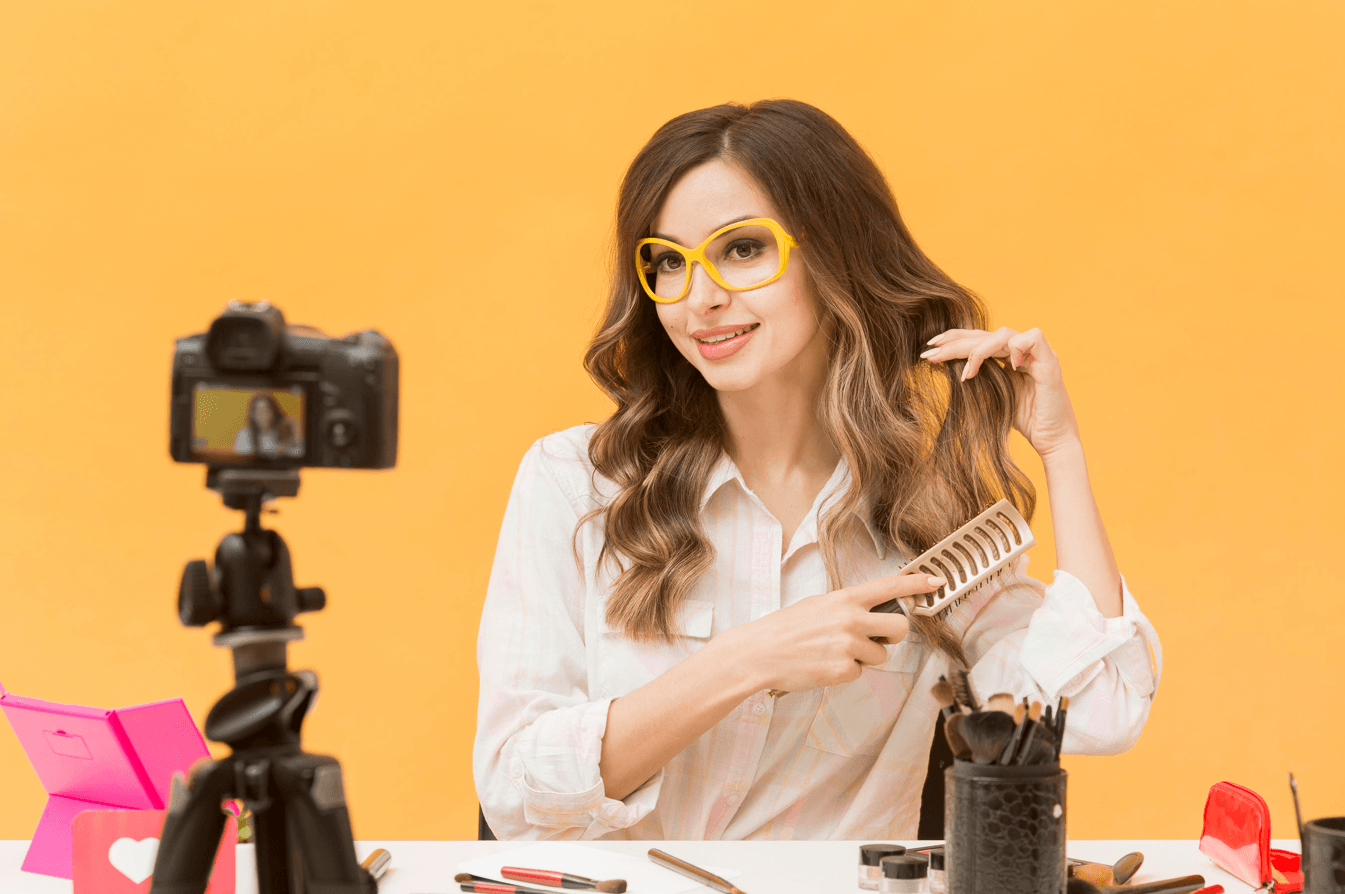

If you are a creator in 2026, your face is basically your logo.
People do not discover you by walking past a billboard or seeing a TV spot. They meet you in much smaller ways: a YouTube thumbnail in a grid of recommendations, a tiny avatar replying on Twitter/X, a square podcast cover in Spotify search, a Substack byline photo under a headline. Before they hear your voice or read your ideas, their brain has already made a snap decision about whether you feel real, interesting, and worth another click.
That is why so many creators are turning to AI headshots. With a batch of everyday selfies, you can spin up dozens of studio-style portraits that look far more polished than a random front-camera shot. The problem is that not every AI headshot is created for creators, and not every “pretty” image actually works when it is shrunk, cropped, and reused across YouTube, podcasts, newsletters, and social feeds.
We at ProfileMagic see this pattern all the time. A creator arrives with a folder of AI portraits that look incredible as standalone images, but when they drop them into YouTube thumbnails or podcast covers, something feels off. The face feels too filtered, too formal, or simply not like the person viewers see on camera every week. That gap quietly hurts trust.
This guide is here to close that gap. Instead of only listing tools, we are going to think like creators: where your face appears, how it guides people through your ecosystem, and how to use AI headshots in a way that boosts clicks and connection without breaking authenticity.
Why Creators Need a Different Headshot Strategy Than Job-Seekers
Most advice about “professional headshots” is written for LinkedIn and corporate careers. Creators live in a different world.
When you are a creator:
- Your headshot is not just a hiring asset, it is a growth asset that directly affects clicks, watch time, and follows.
- People do not just see your face once; they see it repeatedly in different formats as they move through your funnel.
- The worst thing you can do is look like one person in your avatar and a completely different person in your videos.
For a recruiter, a solid headshot says “I am reliable and competent.” For your audience, the headshot has more work to do: it must spark curiosity, feel human, and match the energy of the content they are about to consume.
That is why creators cannot just copy-paste a LinkedIn-style headshot approach. You need a plan that respects how faces behave on:
- YouTube thumbnails and channel icons.
- Podcast cover art and guest cards.
- Substack author photos and About pages.
- Twitter/X avatars and reply threads.
Where Your Creator Headshot Actually Shows Up
Before we talk about AI tools, it helps to map the places your headshot will live. Creators often underestimate how many surfaces their face touches.
YouTube: Channel Icon and Thumbnails
On YouTube, your face appears in two main places:
- The channel avatar, which is a small circle beside your name, comments, and channel page.
- The thumbnail portrait, which is often a zoomed-in crop of your face taking up a good portion of the frame.
The thumbnail is where your headshot carries the most weight. People make brutally fast decisions in the recommendations feed. A strong YouTube-ready headshot will usually:
- Show your face clearly with an expressive, readable emotion.
- Hold up when cropped tightly and overlaid with text or graphics.
- Have a background that stays clean and high-contrast even when shrunk.
Podcasts: Cover Art That Has to Work at Tiny Sizes
For podcasts, your headshot often lives on the cover art itself. In most apps, listeners see a square grid of artworks and make choices in a split second.
If your show is personality-driven, it usually helps to feature your face on the cover. For that to work:
- Your head and shoulders should be big enough to recognise at phone-size.
- The expression should match the tone of the show (friendly teacher, sharp analyst, relaxed storyteller).
- Background elements and typography should not fight for attention with your face.
Substack: "I’m the Person Writing This" Photo
On Substack and similar platforms, your headshot sits beside your name, under headlines, and on your About page.
Readers here are already inside your world, so the job of the headshot is a little softer:
- Look like a real, approachable person who might have written the words they just read.
- Carry an expression that feels calm and trustworthy rather than overly posed.
- Stay legible as a small circular avatar on mobile and desktop.
Twitter/X: Micro-Avatar in a Loud Timeline
On Twitter/X, your avatar spends most of its life in a busy feed of replies and quote tweets. It is often displayed as a tiny circle against a dark or light background.
A good X-friendly headshot will:
- Use a tight crop around your face so your features do not disappear at 40 pixels.
- Sit on a clean, high-contrast background that works in dark mode.
- Match the energy of your content: an investigative journalist may choose a more neutral look, while an educator or entertainer might lean into a warmer or more animated expression.
Once you see all these surfaces together, it becomes obvious: you do not just need “one nice photo”. You need a small system.
The Creator Visual Funnel: How a Stranger Follows Your Face
A useful way to think about your headshots is as part of a visual funnel.
For example:
- Someone sees a YouTube thumbnail with your face and an intriguing title, and they click.
- At the end of the video, they see the same face in your channel avatar and on your end screen.
- You invite them to subscribe to your newsletter or Substack, where your author photo shows the same person in a slightly calmer context.
- Later, they see your Twitter/X avatar in a thread, recognise you instantly, and decide to follow.
Nothing about that journey is accidental. The reason it feels smooth is because your face and overall visual identity are consistent. AI headshots can either amplify that consistency or completely break it.
If every platform shows a slightly different "AI interpretation" of you, your brain becomes harder to recognise. People might like each image individually but not connect the dots that this is all the same person they watched, heard, and read.
The goal is not to generate hundreds of unrelated portraits. The goal is to design a micro-system that works everywhere.
The 3-Headshot System for Modern Creators
One way to keep things simple is to think in terms of three core headshots instead of forty random ones. AI is very good at giving you variations; your job is to assign those variations clear roles.
Headshot 1: The Anchor Identity Shot
This is the "this is me" photo.
Use it for:
- Twitter/X avatar.
- Substack author avatar.
- Website bio photo.
- LinkedIn, if you keep that active.
What it should look like:
- Neutral or gently smiling expression that feels very close to how you look on video.
- Simple background that works against both light and dark interfaces.
- Cropping that keeps your face and upper shoulders visible, with a bit of breathing room.
Headshot 2: The Thumbnail / Hero Energy Shot
This is the more expressive, high-energy version of you that drives clicks.
Use it for:
- YouTube thumbnails.
- Hero sections on landing pages.
- Promotional graphics for live streams or launches.
What it should look like:
- A stronger emotion than your anchor shot: curiosity, surprise, excitement, focus.
- Slightly more dramatic lighting or angle, as long as it still clearly looks like you.
- Framing that leaves room for text, arrows, or design elements.
Headshot 3: The Guest / PR Shot
This is the image you send to other people when they feature you.
Use it for:
- Guest podcast appearances.
- PR features and interviews.
- Speaker bios for conferences or webinars.
What it should look like:
- A touch more formal than the other two, but not stiff.
- Background that allows editors to overlay logos or text without clashing.
- High enough resolution for websites and print.
AI can absolutely generate all three from a single upload, as long as you pick the styles with intention. Instead of scrolling endlessly, you are hunting for three specific roles.
What Creators Actually Need From an AI Headshot Generator
Once you understand your system, you can evaluate tools properly. For creators, "best" does not mean the wildest art style. It means the generator that gives you control, consistency, and trust.
Here are the big things to look for.
1. Strong Likeness Across Styles
You should be able to move between neutral, energetic, and slightly formal shots without turning into three different people.
If the tool keeps changing your face shape, skin tone, eye size, or age to match its idea of "perfect", you will find it much harder to maintain trust with your audience. A good generator keeps your core features intact while improving light, background, and composition.
2. Multi-Platform Friendly Outputs
Creators live across platforms, so your AI headshot workflow should respect that.
Ideally, your tool should make it easy to:
- Export in different aspect ratios (1:1 for avatars, 16:9 for thumbnails, 4:5 or 3:4 for certain covers).
- Check how the image will look as a tiny circle before you commit.
- Avoid awkward crops where your chin or hairline gets cut off in platform-specific shapes.
3. Expression Variety Without Losing Identity
A creator’s headshot library is not just a series of identical half-smiles. You need:
- A calmer, grounded expression for your anchor shot.
- A more intense, engaging expression for thumbnails and promotional graphics.
- One or two “polished but natural” expressions for guest and PR usage.
Your generator should give you that range without sliding into cartoonish or exaggerated faces that people will not recognise.
4. Backgrounds That Support Your Brand
The background does not need to be complex. In fact, simpler is usually better, especially on noisy platforms.
Look for styles that offer:
- Solid or gradient backgrounds that contrast well with your hair and clothing.
- Subtle, blurred environments that hint at context (like a soft studio or home office) without stealing focus.
- Colours that you can reuse in your channel art, thumbnails, and website.
5. Privacy and Data Handling You Can Explain to Your Audience
Creators increasingly talk in public about AI, authenticity, and data use. If you are privacy-conscious, your audience probably is too.
You should feel comfortable answering basic questions like:
- What happens to the selfies you uploaded?
- How long does the service keep your data?
- Are your images used to train future models by default?
When creators use we at ProfileMagic, we usually encourage them to think about this explicitly. The idea is not to scare anyone; it is to make sure you are not trading long-term trust for one quick visual upgrade.
How to Choose AI Headshots for Each Platform
Now let us zoom into some practical decisions platform by platform.
YouTube: Avatar + Thumbnails
For YouTube, consider this simple approach:
- Use your Anchor Identity shot as the channel avatar. That way, the small circle people see under your videos and in comments always matches your current look.
- Use your Thumbnail / Hero shot as the base for your thumbnails. You can crop tighter, push the expression a bit more, and pair it with bold titles.
When reviewing AI outputs for YouTube, ask:
- Does this face still look like me when I zoom in and when I shrink it down?
- Does the background give me contrast for both light and dark thumbnails?
- Can I imagine viewers seeing this image across ten different videos and still feeling like they know who they are clicking on?
Podcasts: Cover Art That Pops in a Row
For podcasts, your headshot needs to survive the tiny grid test.
Use your Guest / PR shot as the anchor for your own cover art if you are the main host. When you design the cover:
- Keep your face fairly large in the frame.
- Use typography that does not overlap your facial features.
- Choose a colour palette that stands out in your category without feeling gimmicky.
You can reuse this same shot when you appear as a guest on other shows so listeners start recognising you across different feeds.
Substack: Author Photo and About Page
On Substack, subtlety works well.
- Use your Anchor Identity shot as your avatar so readers see a familiar face alongside your name.
- If you have an About or "Start Here" page, consider using your Guest / PR shot there, especially if you do consulting, coaching, or products alongside writing.
The main test here is emotional: does this photo feel like the person whose writing you just read? If yes, keep it. If not, the headshot is probably too styled for the tone of your newsletter.
Twitter/X: Micro-Avatar in Busy Feeds
For X, your avatar is small, so every pixel counts.
- Use a tight crop of your Anchor Identity shot so your eyes and expression are clearly visible.
- Avoid busy background elements, flags, and tiny text that will turn into noise.
- Test how it looks in both light and dark mode.
Your goal is not to look like everyone else. It is to have a clear, readable face that followers can spot instantly in replies and quote tweets.
Common Mistakes Creators Make With AI Headshots
Even with good tools, it is easy to slip into patterns that hurt more than they help. Here are some mistakes to watch for.
Mistake 1: Looking Like Different People on Different Platforms
If you use one AI tool for YouTube, another for your podcast, and a third for X, each one might stylise you differently. Over time, your brand turns into a collection of vaguely similar strangers.
Try to:
- Pick one main tool and one aesthetic direction.
- Generate your three key headshots in the same session.
- Reuse those anchor images consistently across platforms.
Mistake 2: Prioritising "Cool" Over Clear
Highly stylised, artsy headshots can be fun, but they often fail the small-size test. When people see you at 40 pixels, they need clarity more than special effects.
If you want to experiment, keep the experimental versions for secondary graphics or specific campaigns, not your main avatar.
Mistake 3: Letting AI Rewrite Your Identity
If the generator keeps making you younger, thinner, lighter, or generally more "model-like" than you actually are, it might feel flattering in the moment. But your audience will notice the mismatch when they see you on video, in streams, or at events.
Being slightly polished is normal. Being unrecognisable is a trust problem.
Mistake 4: Ignoring File Details
A surprising number of creators still upload low-resolution or oddly cropped images into tools and then wonder why everything looks soft or cut off.
Make sure you:
- Start with decent, well-lit selfies as your input.
- Download the highest-resolution outputs your tool offers.
- Keep original files organised so you are not relying on compressed versions from social platforms later.
Mistake 5: Never Updating Your Headshots
Your style, haircut, and overall presence change over time. If your AI headshot shows a version of you from three years and two transformations ago, new viewers are getting an outdated story.
Plan to refresh every couple of years or after a significant change in your look or brand direction.
How to Brief Your AI Headshot Generator as a Creator
One of the easiest ways to get better AI headshots is to treat the tool like a collaborator instead of a magic box. A clear brief in your own mind makes a huge difference.
Here is a simple process.
Step 1: Take Honest, Creator-Reality Selfies
Before you upload anything:
- Take new photos in soft, natural light where your face is clearly visible.
- Wear clothes that match how you actually appear on camera.
- Use your current hairstyle, glasses, and facial hair.
You do not need perfect selfies. You just need honest ones.
Step 2: Decide Your Three Roles Upfront
Write down, in simple terms:
- “I need one anchor identity shot for avatars and bios.”
- “I need one high-energy shot for thumbnails and hero sections.”
- “I need one polished shot for guest features and PR.”
Then, when you look at AI outputs, you are not asking "Do I like this?" in a vague way. You are asking, "Does this fit one of my three roles?"
Step 3: Choose Styles That Match Your Content
If your channel is serious and analytical, an ultra-playful headshot will feel confusing. If your content is casual and humorous, a stiff formal portrait will create distance.
Try to:
- Match outfit and background energy to your typical videos or writing.
- Avoid costumes or settings that you would never actually use on camera.
- Think about how your existing audience would react to suddenly seeing this new face everywhere.
Step 4: Label and Organise Your Final Picks
When you settle on your favourites, do not just dump them into a folder called “headshots”. Name them by role.
For example:
- creator-headshot-anchor.png
- creator-headshot-thumbnail.png
- creator-headshot-guest.png
Inside we at ProfileMagic, we often suggest this simple labelling habit to creators, because it makes day-to-day decisions so much easier. When you are changing your X avatar or designing a new podcast tile, you already know which image to reach for.
Where We at ProfileMagic Fit in a Creator’s Stack
Every creator has a different tolerance for tools. Some want an all-in-one design platform. Others prefer specialised products that do one thing extremely well.
We at ProfileMagic focus on AI headshots that stay realistic and multi-platform friendly. The idea is not to turn you into a completely different person. It is to give you studio-quality, creator-ready portraits that:
- Look like you on camera, just with better lighting and backgrounds.
- Can be repurposed across YouTube, podcasts, newsletters, and social feeds.
- Are generated in a flow that respects your privacy and time.
For many creators, that means uploading one solid batch of selfies, picking a small set of styles that match their on-screen personality, and then using those images as a single source of truth for their visual identity. No more scrambling for random selfies every time a new opportunity appears.
Conclusion: One Face, Many Platforms, Zero Confusion
AI has made it dramatically easier for creators to get good headshots without booking photographers or dragging friends into impromptu shoots. That is real progress.
The risk is forgetting what your headshot is for. Your face is not just decoration. It is how strangers decide whether they want you in their feed, in their ears, and in their inbox over and over again.
If you think in systems instead of one-off images – a visual funnel, a three-headshot setup, consistent reuse across platforms – AI becomes a powerful ally. It helps your audience recognise you faster, trust you more, and follow you more easily from YouTube to podcasts to Substack to X.
For that to work, your AI headshots have to serve the same simple promise: this is what I really look like, this is the energy you can expect from me, and this is a face you will keep seeing if we stay connected. When you get that right, the tech disappears and what remains is what matters most: a creator and their audience, meeting each other again and again without confusion.