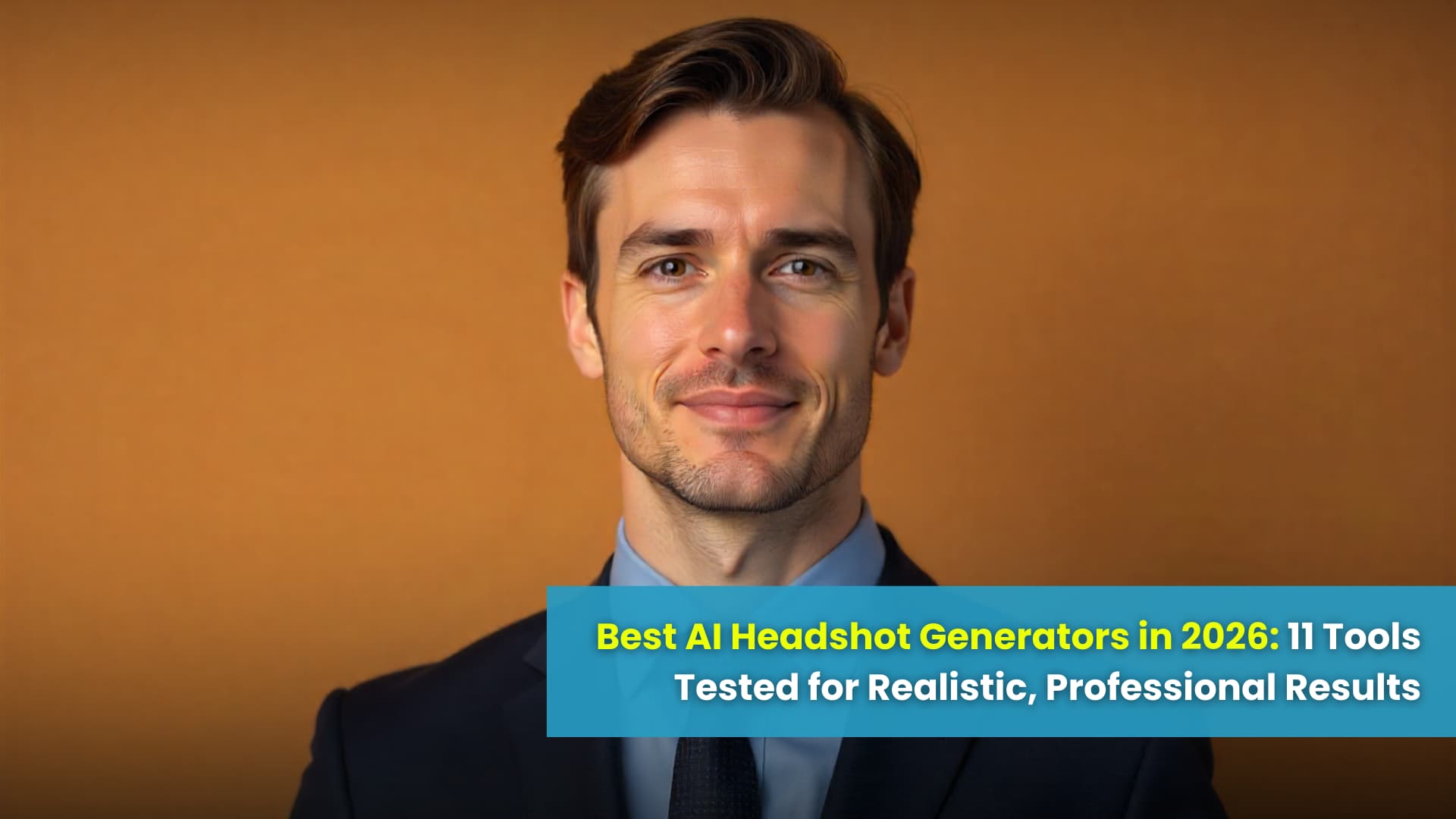

There is a point in every career where you realise that the photo you are using everywhere is quietly holding you back. It might be a cropped party photo from years ago, a dim office selfie that you took because you needed something "for now", or a studio shot that no longer looks like the person you are today.
At the same time, the way we work has changed. People switch jobs faster, build personal brands on LinkedIn and social media, launch side projects, and work in remote teams spread across countries. A single professional headshot now lives in a lot of places at once: LinkedIn, email signatures, internal directories, pitch decks, speaker profiles, sometimes even product pages and newsletters.
That is why AI headshot generators exploded in the last few years. They promise something very simple but very powerful: upload a set of normal photos and get back a collection of studio-style portraits without spending hours in a physical studio. When they work well, they genuinely save time and money. When they go wrong, you end up with something that looks plasticky, unrecognisable, or just not safe enough to trust with your face and data.
Because we at ProfileMagic see this from both sides - as people who use AI headshots ourselves and as a team that builds an AI headshot generator for real professionals - we wanted this guide to go beyond generic "top 10" lists. Instead of repeating marketing claims, we lean on what independent reviewers, public test galleries, and real users have experienced, and we combine that with a framework for deciding what "best" actually means for you.
This is not about chasing the most beautiful version of you. It is about finding AI tools that create realistic, recognisable, professional portraits that fit the context where your photo will live.
Quick Comparison Snapshot: Which AI Headshot Generator Is Best for What?
Before we dive into detailed reviews, it helps to see the landscape in one place. Think of this section as your quick map.
- Best overall AI headshots for serious professionals: We at ProfileMagic focus on LinkedIn-first, studio-style portraits with realistic lighting, natural skin, and crops that fit profile photos, speaker bios, and company websites without extra editing.
- Best for remote teams and corporate rollouts: HeadshotPro and HeadshotsByAI are often chosen by HR and operations teams for large rollouts, while we at ProfileMagic work well for smaller teams, agencies, and consulting groups that want fast, LinkedIn-ready results without heavy setup.
- Best for LinkedIn-first professionals and founders: We at ProfileMagic built our generator specifically around LinkedIn and professional use, so the emphasis stays on credibility, clarity, and a look that feels like a real studio session.
- Best for privacy-first and security-conscious buyers: We at ProfileMagic prioritise privacy by design, with automatic deletion of photos and models within 7 days and no reuse of your images to train unrelated models, and tools like Dreamwave and Secta Labs are also strong options if compliance and strict data policies are at the centre of your decision.
- Best "good enough" free or low-commitment options: Canva and some limited free or trial modes from other tools, along with the free AI headshot generator we at ProfileMagic offer for testing, are useful if you want to experiment before committing.
- Best for people who want both professional and creative avatars: Tools like BetterPic, TryItOn, and Portrait Pal make it easy to get a mix of serious, studio-style headshots and more playful images for personal branding or social media.
The rest of this guide breaks each tool down properly so you can match your own needs to the right option instead of relying on a one-size-fits-all recommendation.
How We Chose These 11 AI Headshot Generators
There are now dozens of AI headshot generators in the market, and new ones keep appearing. It is impossible and unhelpful to list every single one, so this guide focuses on the tools that keep showing up in independent comparisons, long-form reviews, and real user conversations.
Who This Guide Is For
This is written for people who are about to make a decision, not just casually browsing. If you are a job seeker preparing for a round of applications, a founder or consultant upgrading your personal brand, a creator refreshing your profile image, or an HR or operations manager who wants consistent headshots for the whole team, you are in the right place.
What Sources We Looked At
To decide which tools to include, we studied a mix of sources:
- We looked at independent comparison articles where reviewers tried multiple AI headshot tools side by side and reported on realism, likeness, and number of usable outputs.
- We went through product round-ups from tech blogs, SaaS reviewers, and photography websites that specialise in explaining quality and lighting rather than just listing features.
- We reviewed public example galleries, before/after pages, and demo images published by the tools themselves, because those show what they consider their best possible output.
- We read real user feedback where people shared both positive and negative experiences, especially on forums and social platforms where there is less marketing spin.
Because we at ProfileMagic also build an AI headshot generator, it is important to be transparent about the lens through which we see this ecosystem. We do not pretend this is a perfectly neutral lab test. Instead, we rely heavily on publicly available tests, user testimonials, and clearly documented features while being honest about where our own product sits among these tools.
Criteria We Used to Judge "Best"
To keep things consistent, we looked at every tool through the same set of questions:
- Realism and likeness: Do the headshots look like real photos taken by a human photographer, and do they actually look like the person who uploaded the selfies? It does not help if the image is beautiful but feels like a different person.
- Professional vibe: Would you feel comfortable using this photo on LinkedIn, a company website, a pitch deck, or a conference speaker profile? We paid attention to lighting, background, posing, and crop.
- Consistency across outputs: When a tool says it gives you 40 or 100 images, how many of those are realistically usable? A smaller batch of consistently good photos is often better than a huge folder where only two work.
- Turnaround time: Instant results are tempting, but there is usually a trade-off. For serious headshots, a timeframe of around an hour is often where you get a good balance between speed and quality.
- Ease of use: We looked at how clear the upload process is, whether there is guidance on what photos to provide, and how transparent the pricing and credits are.
- Privacy and data handling: We paid attention to how clearly each tool explains what happens to your photos, how long they are stored, whether models are retrained on your face, and how deletion works.
- Team features and licensing: For companies, it matters whether you can invite team members, manage multiple people, and get clear licensing for commercial use.
- Value for money: Price only makes sense when you look at it together with realism, number of usable outputs, speed, and privacy. A slightly more expensive tool can be better value if you actually use most of the images.
Finally, we also kept something else in mind which most round-ups ignore: your reputation. A headshot is not just pixels. It is the first visual cue people see when they decide whether to open your connection request, trust your pitch, or remember your name later.
The Realism-Recognition-Reputation Triangle
Most AI headshot reviews talk about "quality" without breaking it down. To make sense of what "best" means, it is helpful to see it as a simple triangle of three forces that should be in balance.
Realism
Realism is about how natural the image looks. Is the skin texture believable or strangely smooth? Does the lighting look like something a professional photographer would set up, or does it feel flat and obviously artificial? Are the hairline, hands, and edges around the shoulders clean, or do they have the kinds of small errors that make people stare a little too long?
Recognition
Recognition is about whether people who already know you will say, "Yes, that is you," when they see the photo. Some AI tools quietly make you younger, thinner, or more symmetrical. There is nothing wrong with a gentle glow-up, but if your headshot looks like your distant cousin rather than like you, it can backfire when people meet you in real life or on a call.
Reputation Fit
Reputation fit is about context. A slightly dramatic, high-contrast portrait might be great for a founder of a bold consumer brand, but it might feel out of place for a family doctor or someone in a sensitive public-service role. If your headshot is going to live on your company website, LinkedIn, and press mentions, it has to feel aligned with your industry, your company culture, and your personality.
When we look at AI headshot generators in this guide, we keep referring back to this triangle. Some tools lean more into realism. Some lean into flattering transformation. Some are very aware of industry context. The right choice for you depends on which side of the triangle matters most for your situation.
The 11 Best AI Headshot Generators in 2026 (Deep Dive)
Now let us walk through the tools themselves. Each one here shows up repeatedly in independent tests and conversations, and each has a slightly different strength.
1. ProfileMagic - Best Overall for LinkedIn-First Professionals Who Care About Privacy
We at ProfileMagic designed our AI headshot generator around a very simple idea: most professionals do not want to look like a character from an AI demo, they just want to look like themselves on their best studio day, in a way that works everywhere they show up online.
Our focus has always been LinkedIn-first. That means the lighting, backgrounds, and framing are tuned for profile photos, company websites, speaker bios, and client-facing decks rather than for purely experimental avatars. The goal is that you can drop your new headshot into your LinkedIn profile or "About" page without needing a long editing process.
Where we at ProfileMagic stand out:
- We focus on headshots that look like a real studio session rather than an obvious AI filter, with natural skin texture, believable hair, and office-appropriate backgrounds.
- We typically deliver dozens of studio-style headshots from a single upload, so you can choose different outfits, moods, and crops that still feel like the same person across platforms.
- We put privacy at the centre of the product. Your photos and models are used only to generate your headshots and are automatically deleted within 7 days, and we do not reuse them to train unrelated models.
- We back the experience with a risk-aware, user-first mindset: if your results truly do not reflect you, we would rather work with you to fix it or refund you than leave you with a headshot you cannot use.
Things to keep in mind:
- We specialise in professional, realistic portraits. If you mainly want fantasy-style avatars, extreme transformations, or very playful styles, you may still want to experiment with more art-focused tools alongside us.
2. HeadshotPro - Best for Remote Teams and Corporate Rollouts
HeadshotPro is frequently recommended for companies that want consistent headshots across entire teams or departments. It is built with corporate use in mind, with options to set brand-specific backgrounds and styles so that everyone’s portraits look like they came from the same studio session.
Where HeadshotPro stands out:
- It offers strong team management features, which makes it easier for HR or operations to invite many people and manage their sessions.
- It can generate high-resolution images suitable for websites, pitch decks, and print material.
- It allows you to define common backgrounds and layouts so your company headshots look uniform across different locations.
Things to keep in mind:
- The pricing structure is designed around team and batch usage, so it is most efficient when you use it for multiple people rather than just one.
- As a corporate-focused tool, its styles stay within a fairly professional and conservative range, which may feel less playful if you want something more expressive.
3. Aragon - Best for Solo Professionals Who Want a Safe Bet
Aragon shows up again and again at the top of independent "best AI headshot" lists. Reviewers often praise it for delivering a balanced mix of realism, flattering light, and high-quality composition without going too far into either extreme or cartoonish or overly retouched.
Where Aragon stands out:
- It is a strong general-purpose choice for individuals who just want reliable, professional headshots without spending weeks comparing tools.
- The outputs are usually suitable for LinkedIn, résumés, and personal websites straight out of the box with minimal editing.
- It supports a wide variety of styles so you can find something that fits your role.
Things to keep in mind:
- As a mainstream favourite, it does not specialise in any one niche as much as some other tools do.
- If you have very specific brand requirements or you want advanced team features, you may still want to compare it with more specialised tools.
4. Dreamwave - Best for Quality Plus Privacy-Conscious Buyers
Dreamwave positions itself as a high-quality AI headshot generator that takes privacy seriously. It emphasises clear data policies, limited retention, and infrastructure decisions that appeal to people who are careful about biometric data.
Where Dreamwave stands out:
- It offers strong realism, with examples that look like proper studio portraits rather than heavily stylised AI art.
- It clearly explains how your photos are handled and when they are deleted, which is important if you are in a regulated industry or simply cautious by nature.
- It is a good fit for consultants, executives, and founders who want high-end headshots without compromising on data security.
Things to keep in mind:
- The pricing reflects its quality and privacy focus, so it may not be the cheapest option for casual use.
- As with many high-end tools, you still need to provide a good set of input photos to get the best results.
5. Secta Labs - Best for Volume and Privacy by Design
Secta Labs is known for generating a large number of headshots from a single upload session, often running into hundreds of images. It leans heavily into a "privacy by design" narrative, which makes it attractive for users who want both variety and safety.
Where Secta Labs stands out:
- It gives you a very wide range of poses, angles, and outfits, which is useful if you need images for different contexts.
- It highlights privacy-focused infrastructure and data handling that appeals to cautious buyers.
- It suits people who want to experiment with multiple looks without paying for separate sessions.
Things to keep in mind:
- A high number of outputs also means more time spent shortlisting your favourites.
- As with any bulk generator, the ratio of "perfect" to "just okay" images can vary, so patience helps.
6. TryItOn - Best for Social-First, Personality-Heavy Headshots
TryItOn is often mentioned in reviews that focus on creators, social media personalities, and people who want headshots that are a bit more expressive. It still offers professional looks, but it does not shy away from more creative or lifestyle-style outputs.
Where TryItOn stands out:
- It is easy to use if you just want to upload photos and quickly get a mix of professional and casual portraits.
- It is a good fit for people whose image has to work on LinkedIn, Instagram, and creator profiles at the same time.
- It supports varied backdrops and outfits that let more of your personality through.
Things to keep in mind:
- If you work in a very conservative industry, you may need to choose styles carefully to avoid anything that feels too playful.
- It is not as focused on team or corporate rollout features as some of the other tools.
7. BetterPic - Best for Professional Plus Creative Mix
BetterPic often appears in round-ups as a solid all-rounder for people who want professional headshots as well as more creative images. It can be a good choice if you need one session that covers several different uses.
Where BetterPic stands out:
- It provides a strong range of styles, from classic corporate looks to more relaxed and creative setups.
- It is a sensible choice if you want to use AI headshots in both work contexts and personal branding.
- It appears in lists that highlight a good balance of price and quality.
Things to keep in mind:
- Because it tries to cover a wide range of uses, you may need to spend a little more time browsing styles to find the ones that fit your exact need.
8. Portrait Pal - Best for a Studio Look Without Overdone Filters
Portrait Pal is built by a team with AI research background, and its gallery often shows headshots that feel very close to classic studio photography. If you like clean, sharp, well-lit portraits that look expensive without looking unnatural, this one is worth shortlisting.
Where Portrait Pal stands out:
- It produces images that feel like they could comfortably sit on a company leadership page or in a serious professional portfolio.
- It leans more into a timeless aesthetic than into trendy filters, which is useful if you want a photo that will age well.
Things to keep in mind:
- It is more about quality studio aesthetics than wild experimentation, so if you want highly stylised avatars, another tool may serve that need better.
9. Canva - Best "Good Enough" Option for People Already Using Canva
Canva is not a dedicated AI headshot generator in the same way as the others, but many people end up testing headshots through its AI features simply because they already use Canva for design work. For some users, this is their first step into AI-enhanced portraits.
Where Canva stands out:
- It is familiar and convenient if you already design your CVs, presentations, and social posts in Canva.
- It can be a low-cost or even free way to experiment with improving your existing photos.
- It integrates directly into the workflows you may already be using, which reduces friction.
Things to keep in mind:
- As of now, it still does not match the realism and fine control of dedicated AI headshot tools.
- It is often a starting point rather than a final solution if you want the highest possible quality.
10. HeadshotsByAI - Best for Speed, High Resolution, and Teams
HeadshotsByAI focuses on speed and practicality. It highlights fast turnaround times, high-resolution outputs, and features tailored for both individuals and teams.
Where HeadshotsByAI stands out:
- It can deliver a full set of headshots quickly, which is helpful if you are working against a deadline.
- It offers 4K upscaling options, which matter if you plan to use your images in larger formats.
- It supports team workflows so that companies can manage multiple people’s headshots from one place.
Things to keep in mind:
- As with any fast tool, you still need to take the time to upload good input photos if you want results that look truly professional.
11. Proshoot - Best When You Want Extra-Tuned, Role-Specific Studio Looks
Proshoot is often highlighted by reviewers who care about portraits that do not scream "AI". The headshots tend to keep natural-looking skin texture, realistic hair, and lighting that feels like a proper studio setup, and it offers very specific looks for roles such as doctors, real estate professionals, actors, and executives.
Where Proshoot stands out:
- It focuses strongly on capturing a believable likeness, so the final images feel like you are on a very good photo day rather than a completely new person.
- It offers tailored scenarios and outfits for different professions, which is helpful if you want your headshot to match a very clear role or industry.
- It delivers a solid batch of images where a good percentage are actually usable, which reduces the time you need to spend choosing.
Things to keep in mind:
- Proshoot leans into polished, studio-style looks, so if you want something that feels extremely casual or raw, you may need to pick more relaxed styles or a different tool.
- As with most high-quality generators, you should set aside a reasonable budget rather than expecting free-level pricing.
A Simple Five Question Map to Choose the Right AI Headshot Generator
After reading about eleven tools, it is normal to feel a little overwhelmed. To bring it back to something practical, walk yourself through these five questions and notice which tools keep coming up as the answer.
1. Where Will This Headshot Live First?
If your primary home is LinkedIn, professional networking sites, CVs, and company websites, you will usually be happiest with tools that emphasise realism and professional framing. We at ProfileMagic, Aragon, Dreamwave, and Proshoot tend to live here.
If you care equally about social media and more relaxed content platforms, tools like TryItOn, BetterPic, and Portrait Pal are worth exploring because they blend professional and expressive looks.
2. Is This Just for You, or for a Whole Team?
If you only need your own headshot, you can freely pick from almost any tool on this list. If you need headshots for five, ten, or a hundred people, it becomes more important to look at team features, bulk pricing, and brand-style consistency. HeadshotPro and HeadshotsByAI are especially strong here, and Dreamwave or Secta can be good fits if privacy is also a priority, while we at ProfileMagic work well for smaller teams, agencies, and consulting groups that want fast, LinkedIn-ready portraits without heavy onboarding.
3. How Important Is Privacy and Data Deletion to You?
If you are uploading photos of your face, it is reasonable to want control over where those images go. In that case, pay attention to tools that clearly document how long they store your photos, what they use them for, and how you can delete your data.
Dreamwave, Secta Labs, HeadshotsByAI, and we at ProfileMagic all talk explicitly about privacy, deletion, and responsible use of your data, which makes them strong starting points for cautious users.
4. Are You Experimenting on a Budget, or Ready to Invest Once and Be Done?
If you are just testing the concept of AI headshots, it can make sense to start with lower-cost tools or free modes in platforms like Canva. Once you see the potential, paying for one high-quality session in a dedicated tool often yields images you can use for years.
If your time and reputation are valuable, the cost of one good session is usually small compared to the benefit of finally having a headshot you are proud to put everywhere.
5. Do You Want Maximum Realism, or a Polished Glow-Up?
Some people want headshots that look almost indistinguishable from a candid studio photo. Others want something that smooths a few rough edges, brightens the eyes, and feels subtly enhanced. Tools like Proshoot, Dreamwave, and HeadshotsByAI lean hard into realism. Tools like BetterPic, TryItOn, and some styles in Canva and Portrait Pal are a little more forgiving and glow-up oriented while still staying professional.
If your role is heavily trust-based or regulated, it is usually better to stay closer to realism. If you are in creative work or content creation, you can afford to play a bit more.
If you want a simple starting point and your main focus is LinkedIn and professional first impressions, we at ProfileMagic are usually the most straightforward choice because we optimize specifically for that scenario.
When You Should Still Book a Human Photographer
AI headshots are powerful, but they are not the right answer for everyone and every context.
If you are in a role where your image has legal or regulatory implications, such as a judge, a very senior public official, or a professional whose likeness appears in official documents, you may prefer the traceability of a traditional studio shoot.
If your brand story relies heavily on behind-the-scenes authenticity - for example, if you are a documentary filmmaker, a journalist in sensitive regions, or a creator whose identity is part of the narrative - a real photo session may align better with your values.
And if you simply do not feel comfortable with the idea of AI recreating your face, that discomfort matters. A studio session where a photographer guides you through poses, angles, and expressions can be worth the time and expense for peace of mind.
FAQs About AI Headshot Generators in 2026
1) Are AI headshots professional enough for LinkedIn and resumes?
Yes, when you choose a good generator and provide strong input photos, AI headshots can absolutely be professional enough for LinkedIn, résumés, and company websites. The key is to choose a tool that focuses on realism and professional framing rather than on novelty filters.
2) Can people tell if my headshot is AI-generated?
Some people can guess when a headshot has been generated by AI, especially if the tool has over-smoothed the skin, altered the eyes too much, or introduced small inconsistencies in hair and jewellery. When you choose a generator that values realism and you avoid extreme styles, most viewers will simply see a clean, professional photo.
3) What happens to my photos after I upload them?
This depends entirely on the tool. Some services store photos for long periods or reuse them to train future models. Others limit storage time and delete both the photos and the underlying models after your images are generated. It is worth reading the privacy and data handling sections on any tool’s website instead of assuming they all behave the same.
4) How much should I budget for good AI headshots?
Most serious AI headshot generators charge somewhere in the range of a modest one-time session fee for individuals, with higher pricing for teams and enterprises. When you compare this with the cost of a traditional shoot, plus travel and time away from work, a single high-quality AI session is often very reasonable.
5) Are free AI headshot generators worth using?
Free tools are useful if you are just experimenting and want to understand the concept. However, they often limit resolution, number of outputs, or privacy guarantees. If you are going to use your headshot for serious professional purposes, it is usually worth paying for a tool that treats your data and your reputation with more care.
6) What if my AI headshots look too fake or unlike me?
If you are unhappy with the first set of results, you have a few options. You can try a different generator that leans more into realism, you can upload a better and more consistent set of input photos, or you can reach out to the tool’s support and see if they offer retrains or refunds. In many cases, making sure your input photos are clear, varied, and recent dramatically improves the outcome.
Final Thoughts
AI headshot generators are no longer a novelty. For many professionals, they are simply how you get a new headshot done in 2026. The important thing is not to outsource your judgment completely to a tool or a top-ten list, but to decide what matters most to you: realism, privacy, speed, budget, or team-wide consistency.
If you use the realism-recognition-reputation triangle as a mental filter, prepare good input photos, and pick a generator whose values match your own, you can end up with a set of headshots that feels honest, confident, and ready for the opportunities ahead.
And if you are specifically looking for headshots that are tuned for LinkedIn and professional use, we at ProfileMagic are here to help you move from "I hope this is okay" to "I am happy for people to see this every single day" without turning your face into someone else’s idea of perfection.
Also Read: 10 Common LinkedIn Photo Mistakes That Kill Your First Impression (And How to Fix Them)